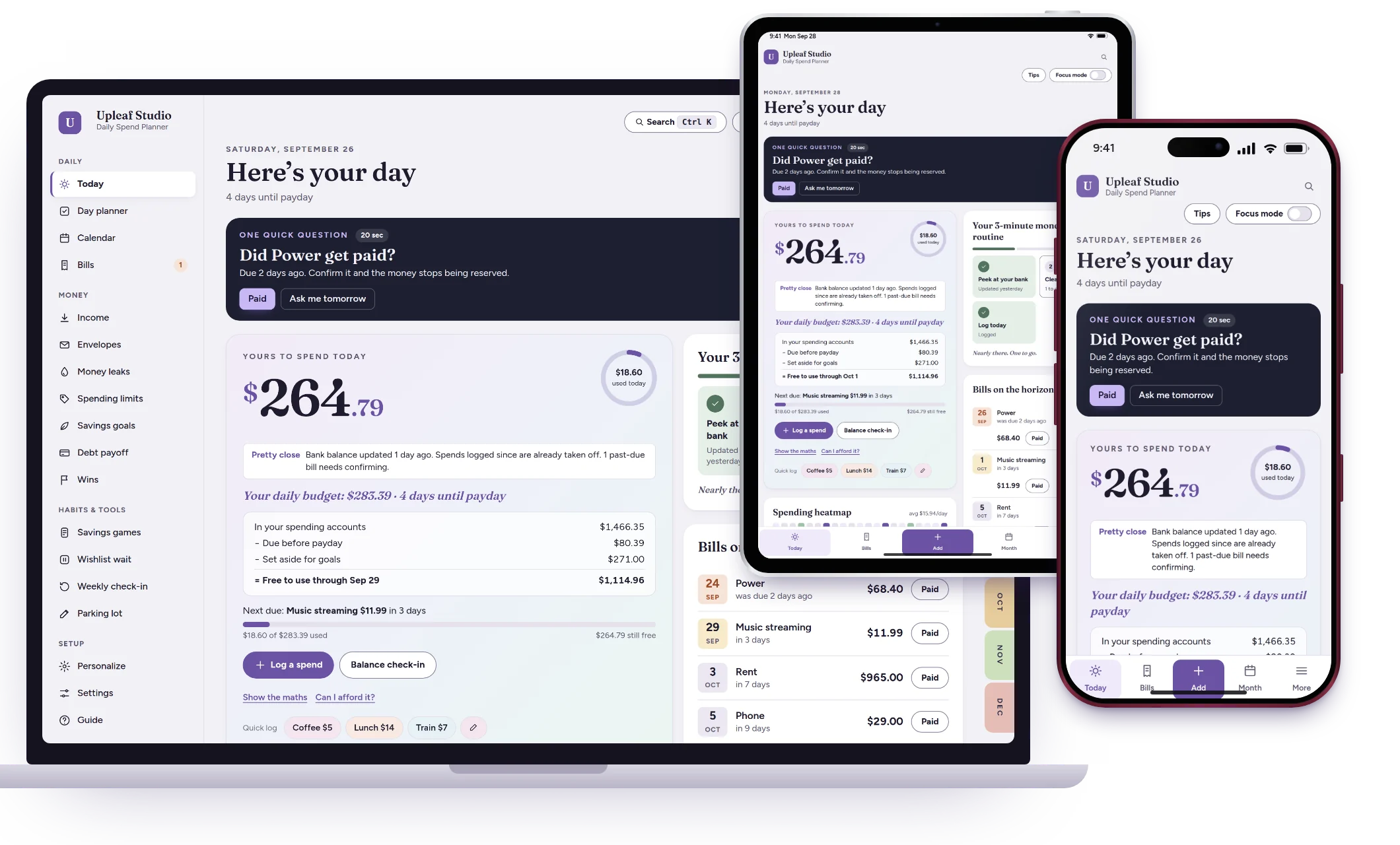
Know what you can spend. Without doing all the budgeting.
Simple daily money planning for people whose brains don’t work well with traditional budgets.
No sign-up and no card needed for the demo · Paid once, no subscription
Tap to pay. It logs itself.
On iPhone, with a one-time Shortcuts automation. Optional, and you can always log by hand in two taps.
Your budget isn’t the problem. Remembering to use it is.
Forgetting
Miss a few days of logging and the whole budget feels broken.
→ One quick balance check-in catches you up.
Impulse spending
It’s hard to know in the moment if something actually fits.
→ “Can I afford it?” and a 48-hour wishlist wait.
Bills
Due dates sneak up, and payday money disappears first.
→ Bills are set aside before you see your number.
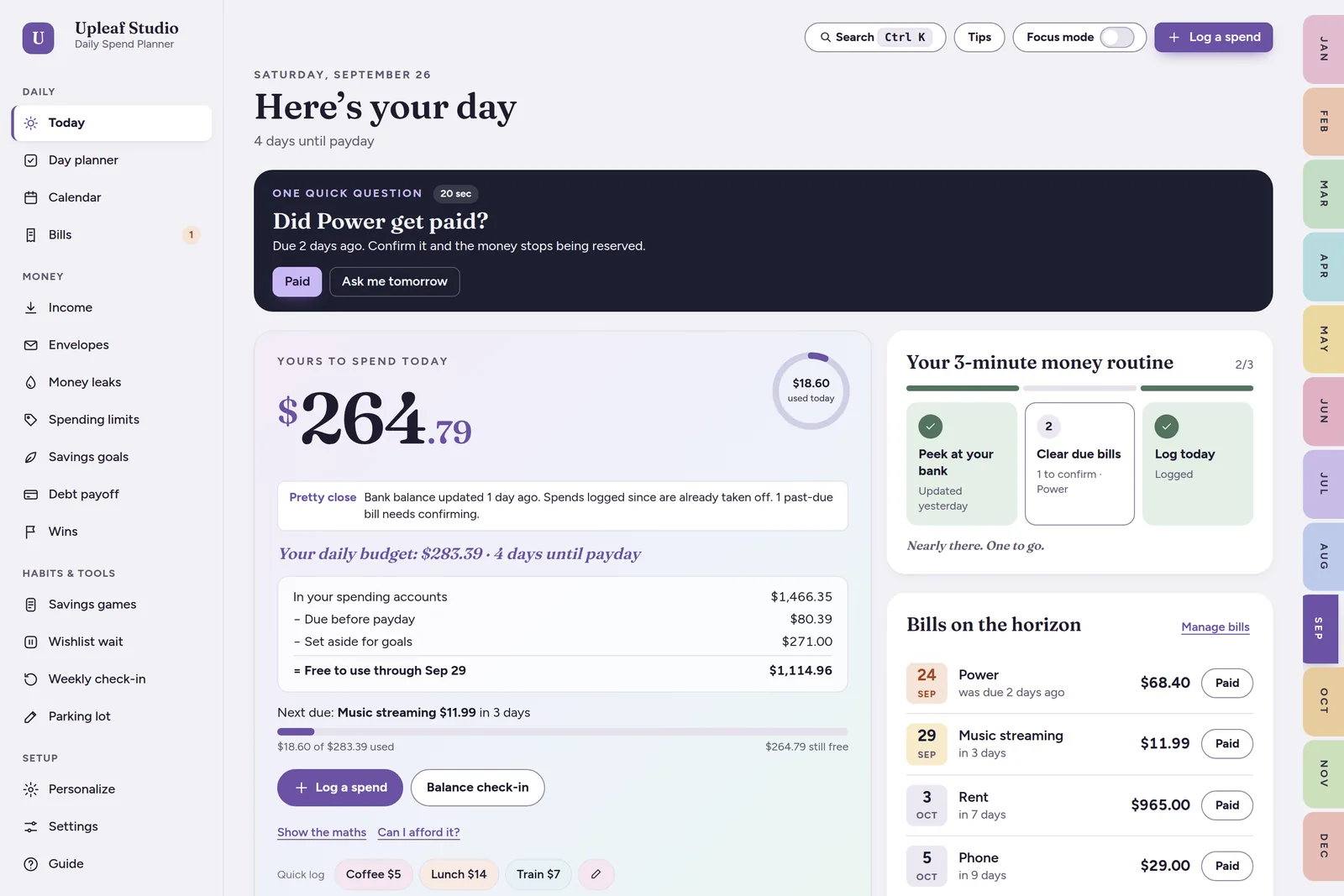
Your bills and savings are already taken out. Tap “Show the maths” whenever you want to see how it’s worked out.
Three small steps. That’s it.
Peek at your bank
Type your balance in a quick check-in. No sorting old transactions.
Clear due bills
Tick off what you’ve paid. The rest is already set aside.
Log today’s spending
Big keypad, one-tap buys, or Apple Pay does it for you.
Done.
Everything you need. Nothing you need to obsess over.
Money
- Yours to spend today
- Quick log & big keypad
- Envelopes on payday
- Gentle spending limits
Bills
- Any schedule
- Set aside before payday
- Bill calendar
- Subscription audit
Goals
- Savings goals with dates
- Debt payoff plan
- Debt-free date slider
- What-if planning
Habits
- Savings games
- 48-hour wishlist wait
- 5-minute weekly reset
- Wins, no streaks to break
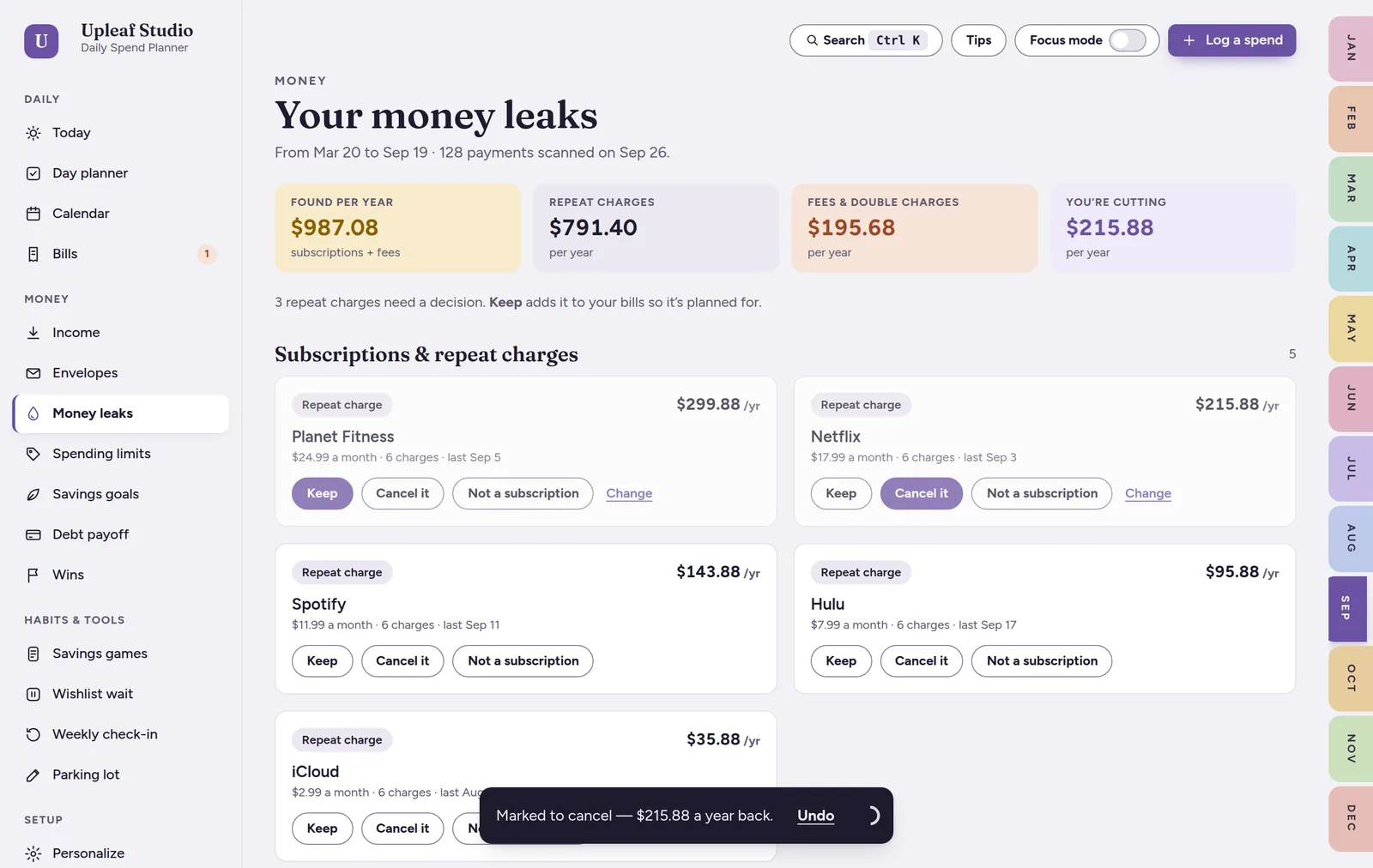
Catch the money leaks you don’t notice.
- Drop in a bank CSV file
- Finds forgotten subscriptions and price rises
- Spots fees and double charges
- Checked on your device, never uploaded
Your money is yours.
Sync
Phone and computer, encrypted on your device first. Up to 3 devices.
Recovery
Face ID / fingerprint or a recovery key brings everything back.
Privacy
No bank login, no account, no ads. We can’t read your numbers.
Offline
Works without internet from your Home Screen.
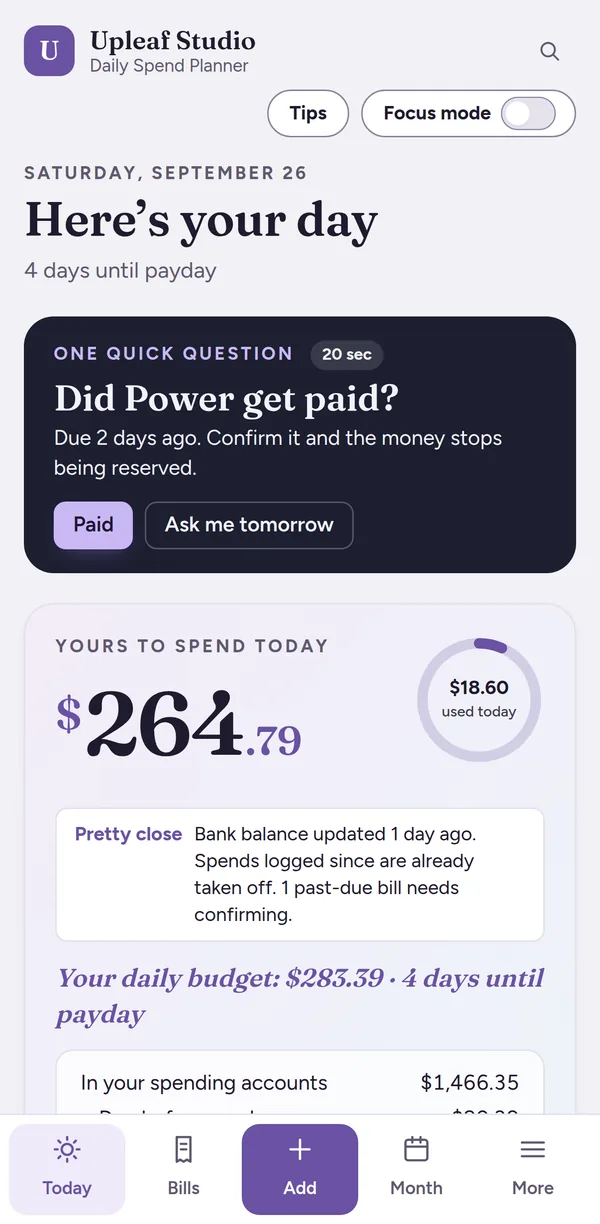
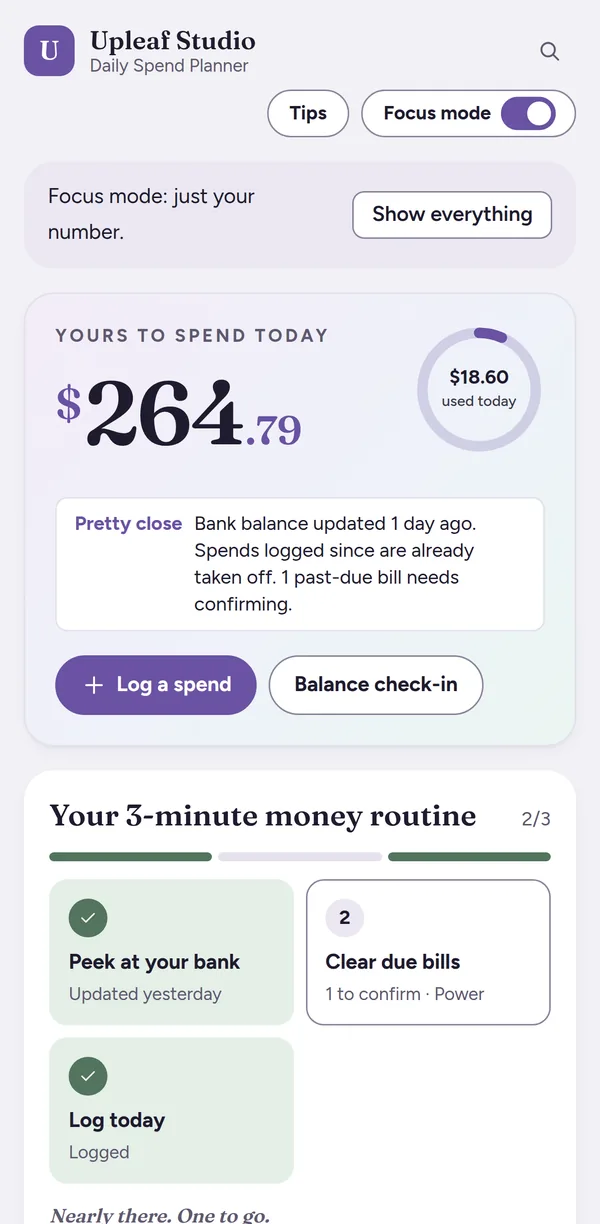
Built for the days when your brain doesn’t want to budget.
- Missed a week? One check-in and you’re back
- No red alarms, no guilt, no streaks
- Calm colors, larger text and calm motion
- One question at a time, never a wall of numbers
Paid once. Lifetime access for personal use.
- The full Daily Spend Planner on all your devices
- Apple Pay logging on iPhone
- Encrypted sync (up to 3 devices) and recovery
- Money leak finder, backups and CSV export
- Free updates
Secure checkout by Gumroad · instant download
Cheaper than two months of a budgeting app.
A budgeting app at $8 a month costs $96 a year. The Daily Spend Planner is paid once, and it’s yours.
Good to know.
Is this a budgeting app?
Sort of, but a gentle one. Instead of asking you to track every category, it gives you one number: what you can spend today after your bills and savings are taken care of. It’s a web app you open from a link and save to your Home Screen, so there’s nothing to install from an app store.
Does it work offline?
Yes. Once it’s on your Home Screen, everything works without internet. Only sync and Apple Pay logging need a connection.
How does Apple Pay logging work?
On iPhone, you set up a one-time automation in Apple’s Shortcuts app (the guide walks you through it). After that, when you tap to pay with Apple Pay in a shop, the amount and shop name are sent to your private inbox and show up in your planner. It’s optional, and you can turn it off any time.
Can I use it on my computer?
Yes. It works on Mac and Windows in Chrome, Edge, Safari or Firefox, and on iPhone, iPad and Android. Turn on sync to see the same numbers on up to 3 devices.
What happens if I lose my phone?
Turn on a recovery copy (Face ID / fingerprint or a 20-character key), keep sync on, or download a backup file. Any of these brings your planner back on a new device.
Is my financial data private?
Yes. There’s no bank login, ever. Your numbers live on your device, and synced copies are encrypted with keys only your devices hold, so we can’t read them either.
Is there a subscription?
No. It’s $17, paid once, with lifetime access for personal use and free updates. Nothing to cancel.
Can I try it first?
Yes. The free demo has every screen, with no sign-up and no card needed. You can log up to 30 spends, and it clears after 7 days.
Is it only for people with ADHD?
Not at all. It’s for anyone who finds traditional budgets overwhelming, has irregular pay, or just wants one clear number.
Let’s make money easier.
Questions? Write to a real person.
Not sure if a tool fits the way you handle money? Stuck on setup? Send a note and you'll hear back from the maker, usually within a day.