Paid every two weeks? Budget every paycheck.
Your bills are monthly. Your pay isn’t. Set up once and every bill lands in the paycheck it’s due in, month after month.
Launch price $12 $17 until Oct 31 · Paid once, no subscription · Demo needs no sign-up
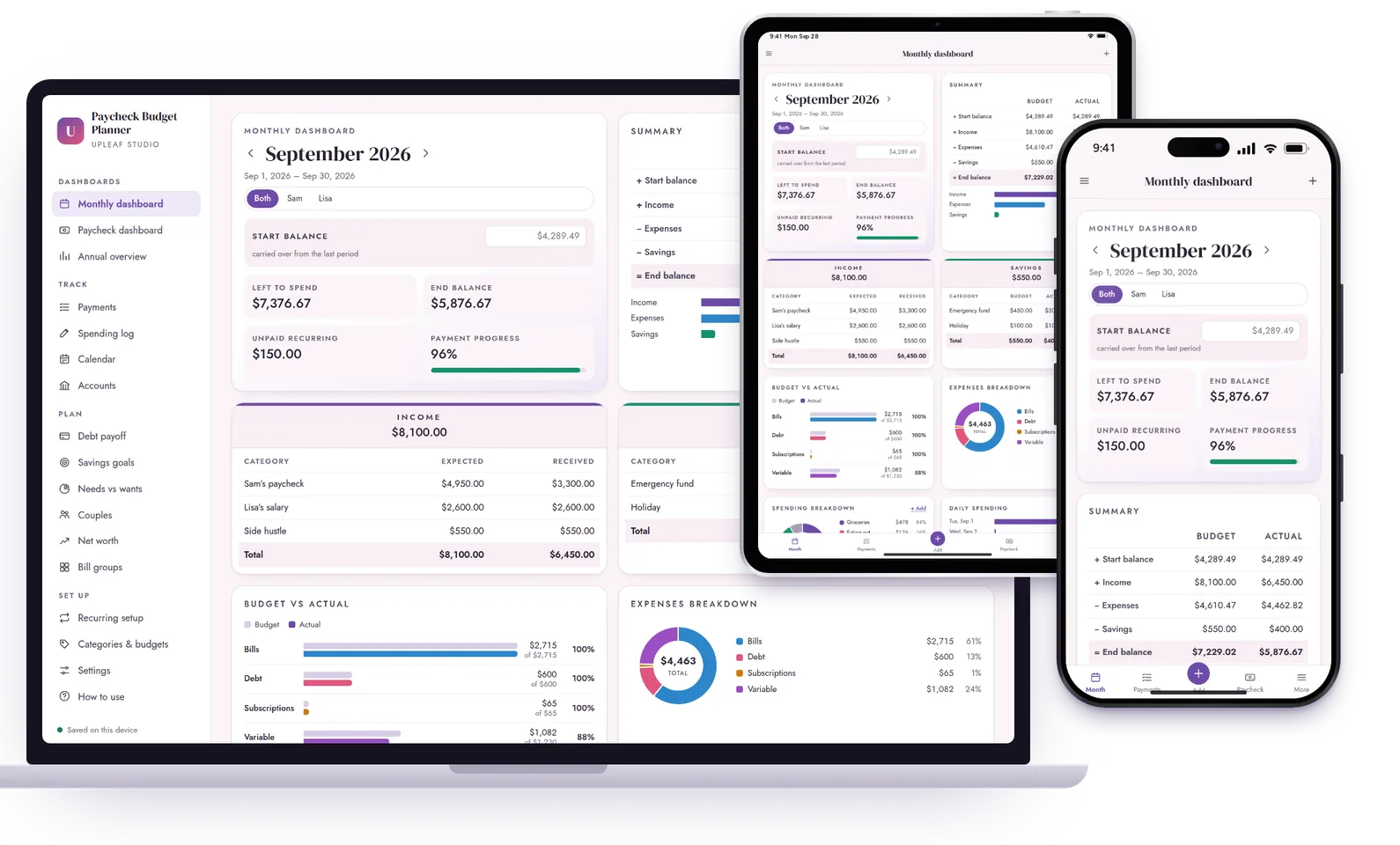
Add it once. It fills in forever.
Every 2 weeks, weekly, twice a month, every 4 weeks, monthly or irregular pay.
Your bills are monthly. Your paycheck isn’t.
Which paycheck pays rent?
Big bills and two paydays make it hard to know what’s really left.
→ Each bill lands in the paycheck it’s due in, or split across both.
The third paycheck
Two months a year bring an extra payday that’s easy to waste.
→ Third-paycheck months are shown, so you can plan them.
Starting over each month
Spreadsheets mean copying tabs and fixing formulas every month.
→ Every future month fills in by itself.
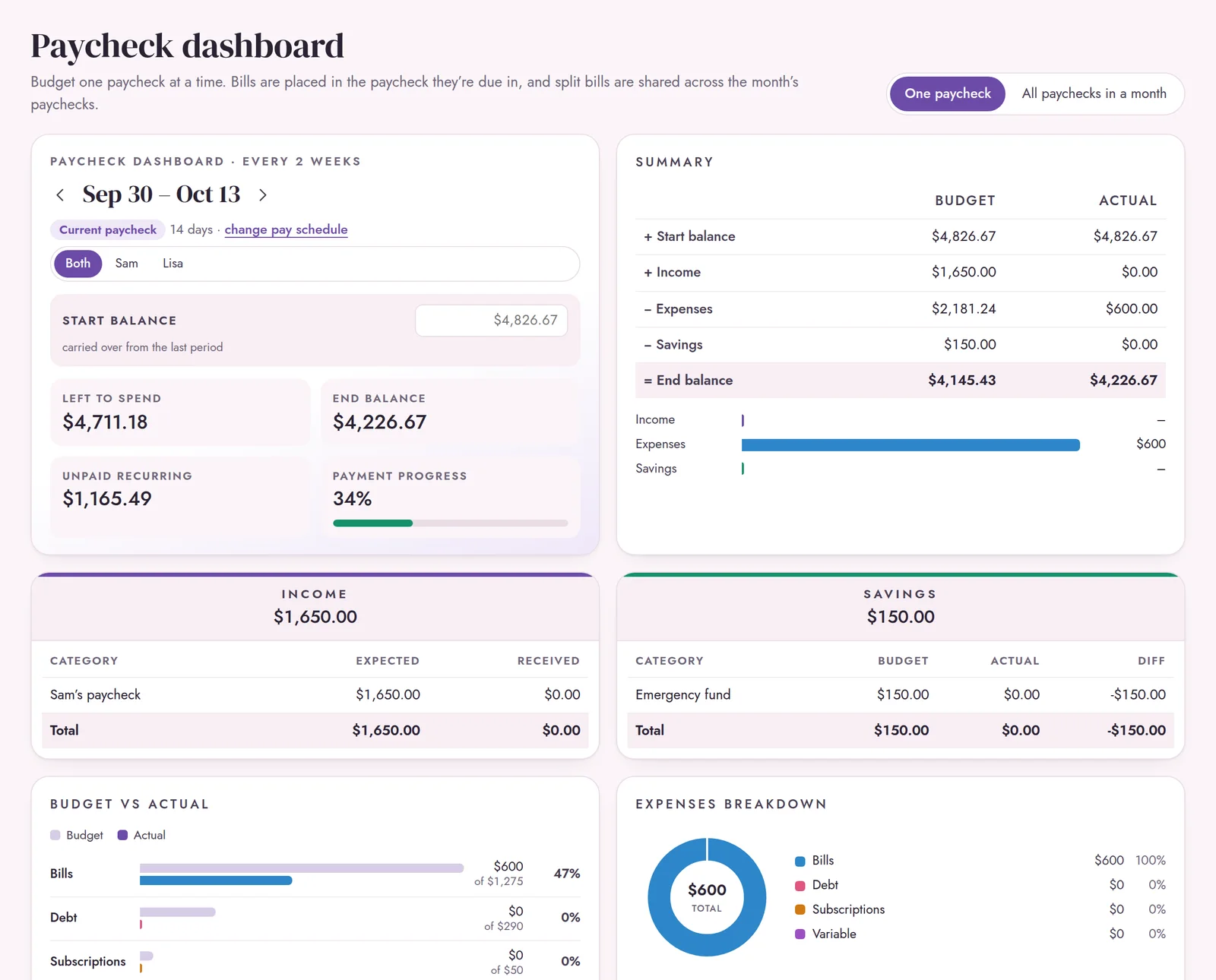
See each paycheck on its own, or all of the month’s paychecks side by side.
Three small steps. That’s it.
Set up once
Your pay schedule, then each bill, debt, subscription and saving.
Tick off as you pay
Check bills off and log everyday spending in seconds.
See what’s left
Paycheck, monthly and yearly dashboards update themselves.
Done.
Every tab of a budget spreadsheet. Nothing to fix.
Paychecks
- Paycheck dashboard
- All paychecks in a month
- Third-paycheck months
- Any pay schedule
Bills
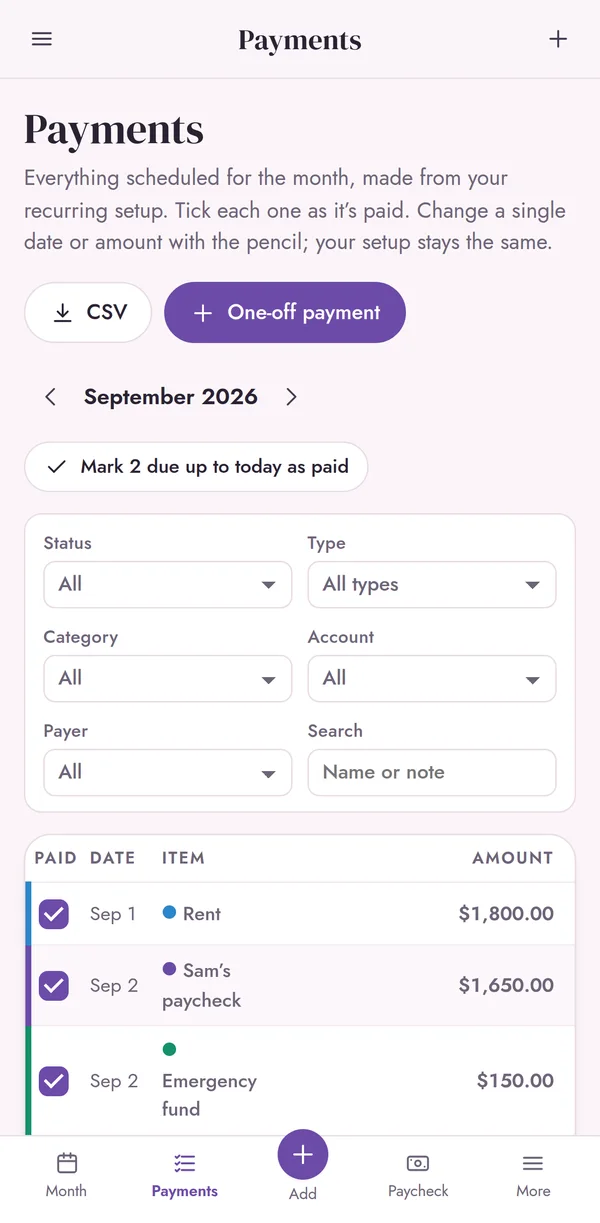
- Payments checklist
- Bill calendar with daily balances
- Change one date, not your setup
- Spending log + bank CSV import
Debt & savings
- Snowball, avalanche or your order
- Your debt-free date
- Up to 40 savings goals
- How much to save by a date
Big picture
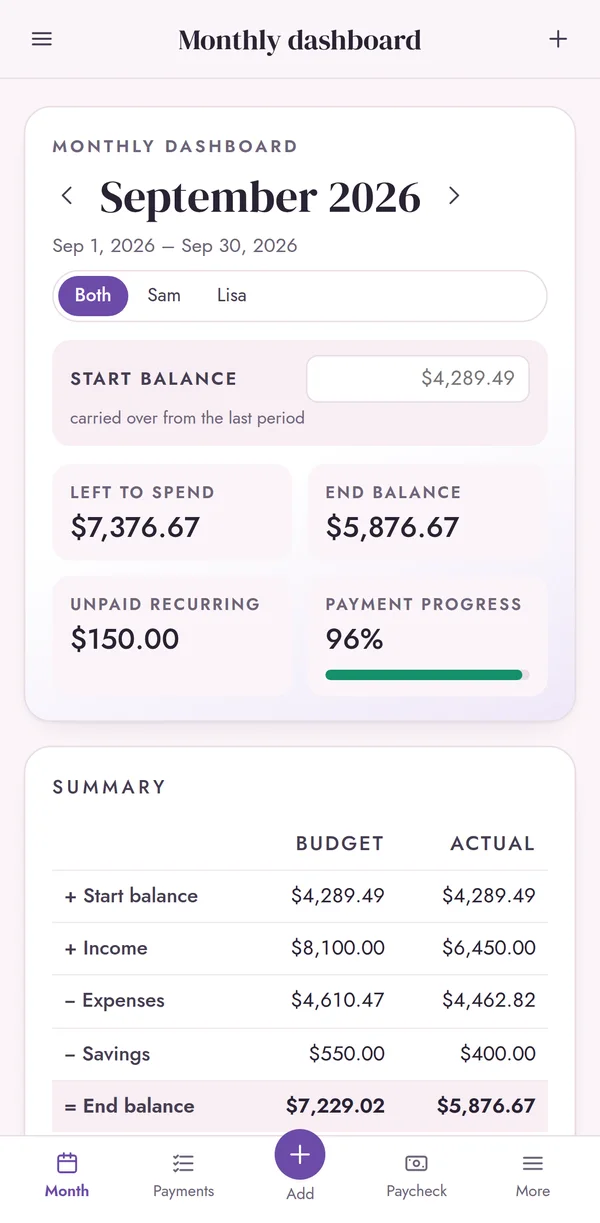
- Monthly and annual dashboards
- Accounts + transfer calculator
- Net worth tracker
- Needs vs wants (50/30/20)
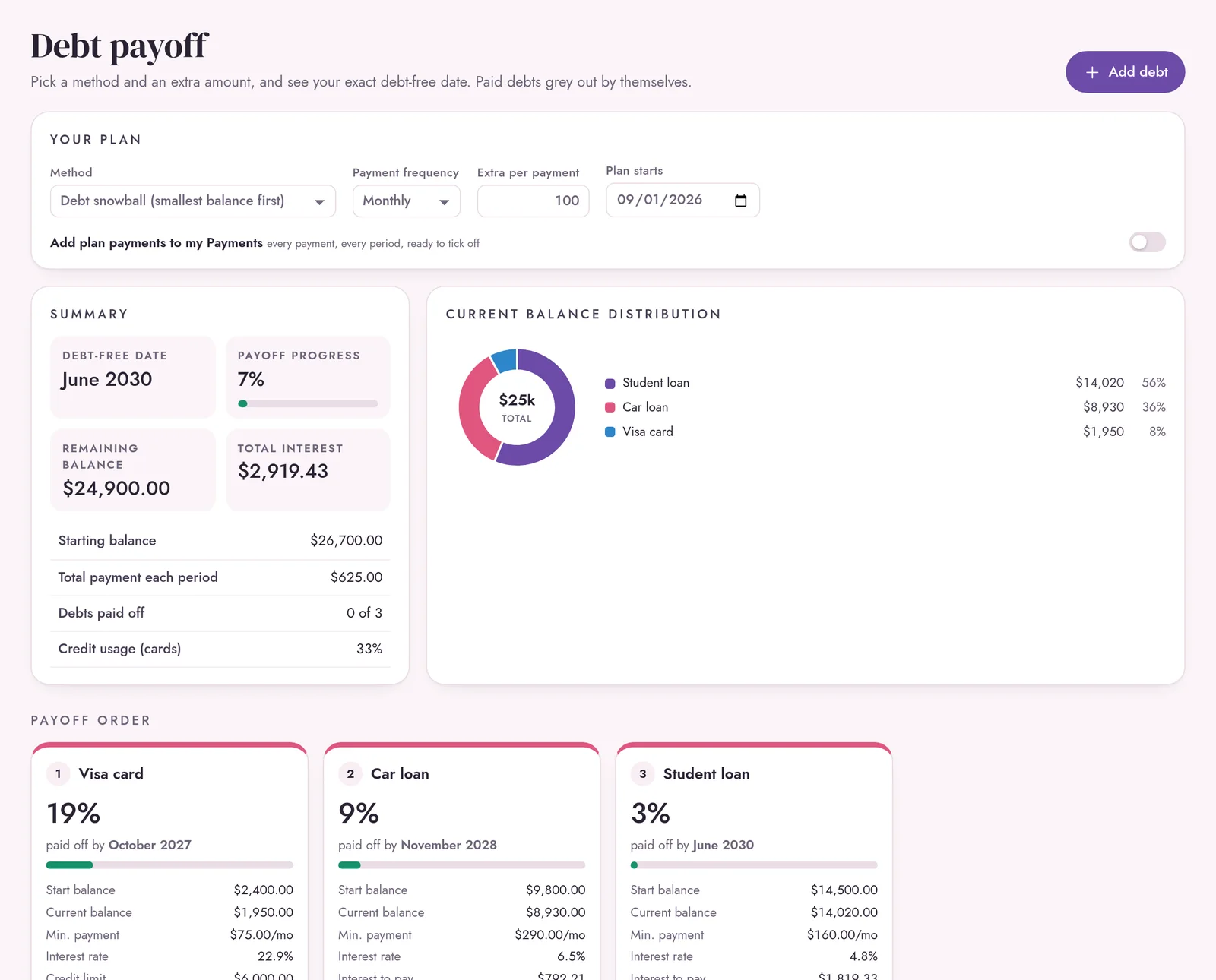
See your debt-free date.
- Snowball, avalanche, your own order or credit score focus
- Exact payoff date and total interest
- Plan payments go straight to your checklist
- Up to 50 debts
However you’re paid. Whoever you budget with.
- Every 2 weeks, weekly, twice a month, every 4 weeks, monthly or irregular
- One income, two incomes, or a side job
- Couples mode: you, your partner or joint on every item
- A dashboard for each person, split by the % you choose
Easier than a spreadsheet.
A budget spreadsheet
- Formulas that break when you add a row
- Tiny cells on a phone
- Copy and paste every month
- Hard to share with a partner
Paycheck Budget Planner
- Nothing to break. It just works
- Made for phone, tablet and laptop
- Every month fills in by itself
- Encrypted sync across up to 3 devices
Your money is yours.
Sync
Phone and computer, encrypted on your device first. Up to 3 devices.
Recovery
Face ID / fingerprint recovery copy, plus backup files.
Privacy
No bank login, no account, no ads. We can’t read your numbers.
Offline
Works without internet from your Home Screen.
Paid once. Lifetime access for personal use. Goes back to $17 after Oct 31.
- The full planner on all your devices
- Encrypted sync (up to 3 devices) and recovery
- Couples mode, backups and CSV export
- START HERE PDF + 14-page How-To Guide
- Free updates
Secure checkout by Gumroad · instant download
Cheaper than two months of a budgeting app.
A budgeting app at $8 a month costs $96 a year. The Paycheck Budget Planner is paid once, and it’s yours.
Good to know.
Is this a Google Sheets or Excel file?
No. It’s a web app that opens in your browser on phone, tablet or computer. There are no formulas to break and nothing to copy each month. Add it to your Home Screen and it works offline, like an app.
I’m paid every 2 weeks but my bills are monthly. Does it work?
That’s exactly what it’s built for. Bills land in the paycheck they’re due in, or you can split a big bill like rent across the month’s paychecks. Third-paycheck months are shown so you can plan them.
What if my pay is irregular?
Choose irregular pay and each paycheck you add starts a new pay period. Weekly, twice a month, every 4 weeks and monthly work too.
Can my partner use it too?
Yes. Turn on couples mode to give each item a payer, and link up to 3 devices with encrypted sync. No account or password.
Does it connect to my bank?
Never. You add your bills once and tick them off. You can also import a CSV file from your bank; it’s read on your device and never uploaded.
What do I get when I buy?
Two PDFs, sent instantly to your email: START HERE (your planner link, a QR code and your unlock code) and a 14-page How-To Guide with screenshots.
Is there a subscription?
No. It’s $12 at the launch price until Oct 31 (normally $17), paid once, with lifetime access for personal use and free updates. Nothing to cancel.
Can I try it first?
Yes. The free demo has every screen and example data to explore, with no sign-up and no card needed. It clears after 7 days.
Can I use it next year?
Yes. It keeps going year after year, and the annual overview can start at any month.
What if I need help?
Email hello@up-leaf-studio.com and a real person answers, usually within a day. It’s a planning tool, not financial advice.
Questions? Write to a real person.
Not sure if a tool fits the way you handle money? Stuck on setup? Send a note and you'll hear back from the maker, usually within a day.